About Privat24 for business
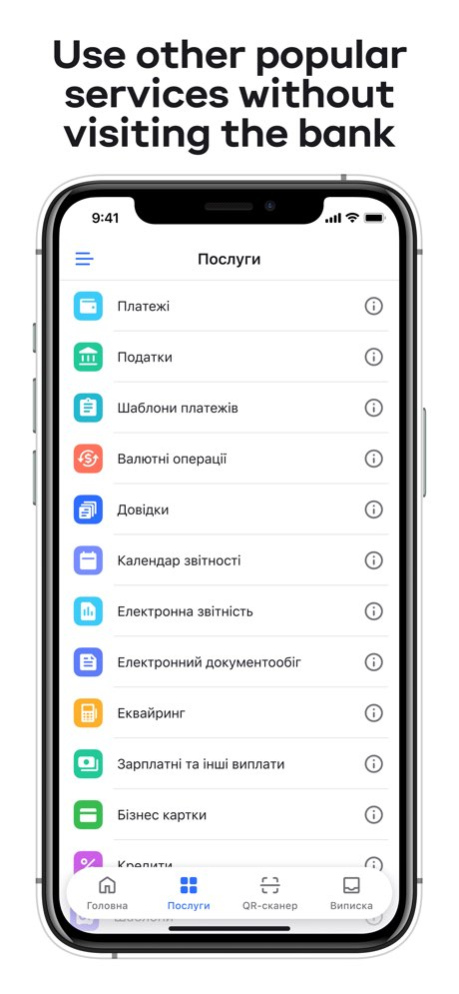
"Privat24 for business" is a mobile application for legal entities and private entrepreneurs. Key features: . Account management: view statements, monitor income and spendings, analyze cash flow. . Payments: pay...
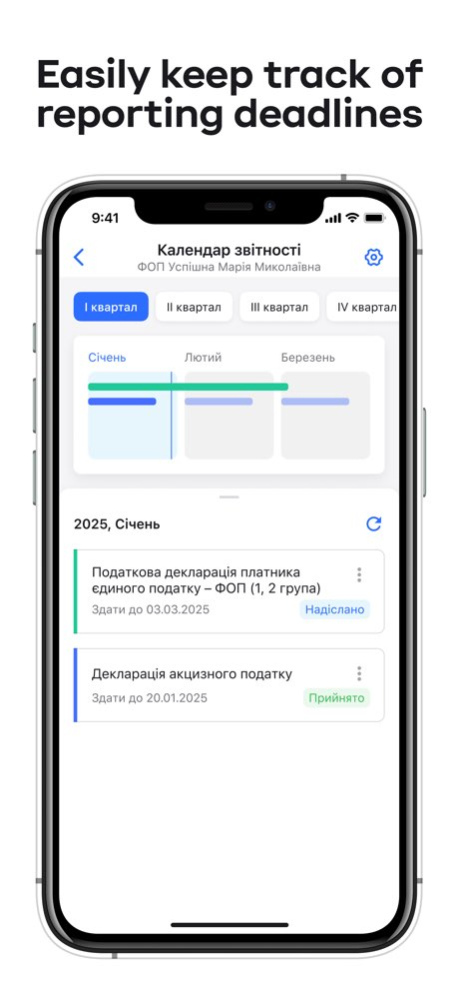
"Privat24 for business" is a mobile application for legal entities and private entrepreneurs. Key features: . Account management: view statements, monitor income and spendings, analyze cash flow. . Payments: pay contractors, suppliers, and partners quickly and securely. Payment templates are available for optimization. . Electronic document management: create and send invoices, exchange documents with suppliers. . Currency exchange operations: buy, sell, and convert foreign currency at the current exchange rate without visiting a bank. Enable notifications for the start of the trading session to perform necessary operations timely. . Tax payments: automatically receive data from the State Tax Service, pay taxes, fees, and other mandatory payments. Activate payment deadline reminders to pay on time. . Reporting: sign and submit reports to the State Tax Service within the app, use the Reporting calendar and automatic data completion for tax calculation. . Salary projects: manage salary payments to employees on PrivatBank or other Ukrainian bank cards. . Loans and deposits: monitor the status of loan agreements, apply for new loans, and open / replenish / close deposits online. . Business cards: open corporate cards, track transactions, and set limits. . Notifications: receive instant notifications for all incoming and outgoing funds. . Security: the app has enhanced fraud protection, including the use of device data to prevent unauthorized actions. . Instant login via Face ID / Touch ID. . SmartID: your qualified electronic signature for securely signing payments and documents. The app includes a special section for connecting with PrivatBank: . Online chat support. . Option to call the bank within the app or request a callback. . Review the history of inquiries to the bank. . Reporting fraud. . Connect via Telegram or Viber. We also provide sign language consultations via video chat for clients with hearing impairments. "Privat24 for business" is your reliable assistant for managing your business from anywhere in the world. We are constantly improving the functionality and interface. We appreciate your feedback at: p24b_mobile@privatbank.ua
Version History • Tax calendar. Pay taxes and view related information • UAH payments. Add documents requested by the bank via "More actions" (⋮) on the payment form • SWIFT payments. Automatically generate letters for fast foreign currency payments • Invoices. Issue invoices on the home screen or in account statement • Business cards. Make payments with business cards and enjoy free account servicing • Home screen. Track incoming documents and pay invoices via the "Document Management" widget 3.41.0 Sep 15 Analytics - Limit control for private entrepreneurs. Track income to avoid exceeding the limit for your tax group. How is the limit calculated? We automatically exclude inflows that are not your taxable income: • transfers between your own accounts • deposit returns • loan funds Add income received outside the bank manually to update the limit calculation. 3.40.1 Aug 17 Analytics - Limit control for private entrepreneurs. Track income to avoid exceeding the limit for your tax group. How is the limit calculated? We automatically exclude inflows that are not your taxable income: • transfers between your own accounts • deposit returns • loan funds Add income received outside the bank manually to update the limit calculation. 3.40.0 Aug 4 What's new Statement. Control your funds in the new “Analytics” section: view cash flow by period or over time, track monthly income and expenses, compare transactions by categories Salary and other payments. Create payroll statements easier and faster. Choose payroll statement type and payment period – and purpose fills automatically for: recipient payments, creating payments per payroll statement. Previous payroll editing disabled. 3.39.0 Jun 30 What's new Statement Download statement to a file with daily or period totals Payments • Recognize details from a photo, file, or text • Find details of new counterparties via recent operations search • Access additional actions on the payment form using the (⋮) button • Continue incomplete payments after re-logging in "For your signature" widget Sign SWIFT payments on the home screen Foreign exchange operations Manage currency payments, create SWIFT protocols and payment instructions in the SWIFT section 3.38.0 May 26 What’s new • Search. Quickly find services, operations, and settings through search on the home screen or "Services" tab. • Report receipts. Download tax report receipts in PDF format via the "Share" button. • Payment QR code. Use the QR code with an updated design. 3.37.3 May 4 What’s new • Search. Quickly find services, operations, and settings through search on the home screen or "Services" tab. • Report receipts. Download tax report receipts in PDF format via the "Share" button. • Payment QR code. Use the QR code with an updated design. 3.37.1 Apr 24 What’s new • Search. Quickly find services, operations, and settings through search on the home screen or "Services" tab. • Report receipts. Download tax report receipts in PDF format via the "Share" button. • Payment QR code. Use the QR code with an updated design. 3.37.0 Apr 23 What's new • Payments. Upload the required documents while creating payments under the SvitloDIM program. • Simple electronic signature. Confirm payments instantly without using SmartID. Activate the simple electronic signature (SES) in “Settings” → “SmartID / SES signatures”. • UETR. Track the status of interbank payments in the NBU “TrackSEP” service using the UETR (Unique End-to-End Transaction Reference) available in the payment details. 3.36.0 Mar 17 What's new • Loans. Purchase goods and services from the bank's partners with Instant installments for business. • Payments. Create payment templates and use them when making payments. • Quick actions. Tap and hold the app icon to quickly create a payment, sell currency, or scan a QR code. 3.35.0 Feb 17 What’s new? • Home screen. Choose and reorder widgets by clicking Customize widgets. • View sstatement and your accounts in an updated combined section. • Electronic document management. Customize the invoice form or fill in its updated shortened version. • Currency operations and Payroll payments. Add required documents from your smartphone. • Payment templates. Edit and create templates in the “My” tab. 3.34.2 Jan 22 What’s new? • Home screen. Choose and reorder widgets by clicking Customize widgets. • View sstatement and your accounts in an updated combined section. • Electronic document management. Customize the invoice form or fill in its updated shortened version. • Currency operations and Payroll payments. Add required documents from your smartphone. • Payment templates. Edit and create templates in the “My” tab. 3.34.1 Jan 20 What’s new? • Home screen. Choose and reorder widgets by clicking Customize widgets. • View sstatement and your accounts in an updated combined section. • Electronic document management. Customize the invoice form or fill in its updated shortened version. • Currency operations and Payroll payments. Add required documents from your smartphone. • Payment templates. Edit and create templates in the “My” tab. 3.33.0 Jan 14 Improved QR code generation with details for scanning by other mobile applications 3.32.1 10/03/2025 What’s new? • Payment from a photo, file, or text. Upload photos, files, or simply paste text with payment details. The system will automatically recognize the data and fill it in on the payment form. • Simple electronic signature. Private entrepreneurs and their authorized signatories can instantly confirm payments to other banks without using SmartID. 3.32.0 09/24/2025 Loans: for "KUB secured" loans, the display of the mandatory payment for the principal amount has been added. 3.31.1 08/27/2025 What’s new? • Acquiring: The application for acquiring services has been updated: order POS terminals, connect the “Terminal” app, LiqPay online payments, “Internet Payment by parts and Instant installment” service. • What’s new: A section with a list of changes after updating the application version has been added. • Business cards: The payment purpose has been added so that you can specify the reason for the transfer when replenishing corporate cards in foreign currency. 3.31.0 08/18/2025 Improved application security 3.30.1 07/30/2025 What’s new? • Loans: We have added applying for the Entrepreneurial credit limit: review the terms, file an application, and sign the loan agreement. And also, you can manage the active agreement: change the amount, pause, renew, and repay the limit. • Statement: We have added viewing the information message. • Deposits: Opening an agreement and signing additional documents (a CRS questionnaire on tax residency status and a deposit guarantee certificate for private entrepreneurs). 3.30.0 07/15/2025 What’s new? • Loans: Order “Online loan”: check the terms, fill out an application, order a certificate from the State Tax Service to formalize a loan, and sign the agreements. • Payments: View payment receipts from the details of paid payments. In payments to your own account / card, fill in the amount with the account balance in one click. • Access to services: Provide your employees with access to the “Integration” and “Envelopes” services. • Video instructions: Check new videos on how to work with business cards. 3.29.0 06/17/2025 What’s new? • Credits. We have updated the interface and made credit transactions and applications easier to access. • Salary and other payouts. We have added signing the ‘Application to join the 'Terms and Conditions’ to update the tariff. • EDM. We have added a new document type – 'Order' to be created, signed and sent. We have added the 'Create based on' option to quickly generate a completion certificate, bill or invoice. • Video guide. A block of popular videos and searches appeared. 3.28.0 05/19/2025 What’s new? • Business cards. We have updated the service interface for quick access to business cards: your own and company cards. We have also improved card management and updated the statement by adding the ability to download it as a file. Ordering new cards and cash has also become quick and easy. 3.27.1 04/16/2025 What’s new? • Business cards. We have updated the service interface for quick access to business cards: your own and company cards. We have also improved card management and updated the statement by adding the ability to download it as a file. Ordering new cards and cash has also become quick and easy. 3.27.0 04/15/2025 What’s new? Currency sale for private entrepreneurs: Now, when selling currency, private entrepreneurs can automatically transfer funds to their cards. 3.26.0 03/19/2025 What is changing? • Instant payments. Now you can make transfers to partner accounts with other Ukrainian banks in seconds. • Tariff plan. You can change the tariff using Smart ID signature. • Currency transactions. Generation of letters on customer account currency balances when creating a currency purchase request. • For individual entrepreneurs who have closed their accounts, we have left the option of generating account statements and ordering certificates. • Notifications. For your ease, we sort messages from the Bank into 'Important' and 'Offers'. 3.25.0 02/26/2025
Previous Versions
Here you can find the changelog of Privat24 for business since it was posted on our website on 2021-12-18 04:52:21.
The latest version is 3.41.0 and it was updated on 2026-10-07 07:22:21. See below the changes in each version.
Privat24 for business version 3.41.0
Updated At: 2026-10-06
Changes: Version History • Tax calendar. Pay taxes and view related information
• UAH payments. Add documents requested by the bank via "More actions" (⋮) on the payment form
• SWIFT payments. Automatically generate letters for fast foreign currency payments
• Invoices. Issue invoices on the home screen or in account statement
• Business cards. Make payments with business cards and enjoy free account servicing
• Home screen. Track incoming documents and pay invoices via the "Document Management" widget 3.41.0 Sep 15 Analytics - Limit control for private entrepreneurs.
Track income to avoid exceeding the limit for your tax group.
How is the limit calculated?
We automatically exclude inflows that are not your taxable income:
• transfers between your own accounts
• deposit returns
• loan funds
Add income received outside the bank manually to update the limit calculation. 3.40.1 Aug 17 Analytics - Limit control for private entrepreneurs.
Track income to avoid exceeding the limit for your tax group.
How is the limit calculated?
We automatically exclude inflows that are not your taxable income:
• transfers between your own accounts
• deposit returns
• loan funds
Add income received outside the bank manually to update the limit calculation. 3.40.0 Aug 4 What's new
Statement. Control your funds in the new “Analytics” section: view cash flow by period or over time, track monthly income and expenses, compare transactions by categories
Salary and other payments. Create payroll statements easier and faster. Choose payroll statement type and payment period – and purpose fills automatically for: recipient payments, creating payments per payroll statement. Previous payroll editing disabled. 3.39.0 Jun 30 What's new
Statement
Download statement to a file with daily or period totals
Payments
• Recognize details from a photo, file, or text
• Find details of new counterparties via recent operations search
• Access additional actions on the payment form using the (⋮) button
• Continue incomplete payments after re-logging in
"For your signature" widget
Sign SWIFT payments on the home screen
Foreign exchange operations
Manage currency payments, create SWIFT protocols and payment instructions in the SWIFT section 3.38.0 May 26 What’s new
• Search. Quickly find services, operations, and settings through search on the home screen or "Services" tab.
• Report receipts. Download tax report receipts in PDF format via the "Share" button.
• Payment QR code. Use the QR code with an updated design. 3.37.3 May 4 What’s new
• Search. Quickly find services, operations, and settings through search on the home screen or "Services" tab.
• Report receipts. Download tax report receipts in PDF format via the "Share" button.
• Payment QR code. Use the QR code with an updated design. 3.37.1 Apr 24 What’s new
• Search. Quickly find services, operations, and settings through search on the home screen or "Services" tab.
• Report receipts. Download tax report receipts in PDF format via the "Share" button.
• Payment QR code. Use the QR code with an updated design. 3.37.0 Apr 23 What's new
• Payments. Upload the required documents while creating payments under the SvitloDIM program.
• Simple electronic signature. Confirm payments instantly without using SmartID. Activate the simple electronic signature (SES) in “Settings” → “SmartID / SES signatures”.
• UETR. Track the status of interbank payments in the NBU “TrackSEP” service using the UETR (Unique End-to-End Transaction Reference) available in the payment details. 3.36.0 Mar 17 What's new
• Loans. Purchase goods and services from the bank's partners with Instant installments for business.
• Payments. Create payment templates and use them when making payments.
• Quick actions. Tap and hold the app icon to quickly create a payment, sell currency, or scan a QR code. 3.35.0 Feb 17 What’s new?
• Home screen. Choose and reorder widgets by clicking Customize widgets.
• View sstatement and your accounts in an updated combined section.
• Electronic document management. Customize the invoice form or fill in its updated shortened version.
• Currency operations and Payroll payments. Add required documents from your smartphone.
• Payment templates. Edit and create templates in the “My” tab. 3.34.2 Jan 22 What’s new?
• Home screen. Choose and reorder widgets by clicking Customize widgets.
• View sstatement and your accounts in an updated combined section.
• Electronic document management. Customize the invoice form or fill in its updated shortened version.
• Currency operations and Payroll payments. Add required documents from your smartphone.
• Payment templates. Edit and create templates in the “My” tab. 3.34.1 Jan 20 What’s new?
• Home screen. Choose and reorder widgets by clicking Customize widgets.
• View sstatement and your accounts in an updated combined section.
• Electronic document management. Customize the invoice form or fill in its updated shortened version.
• Currency operations and Payroll payments. Add required documents from your smartphone.
• Payment templates. Edit and create templates in the “My” tab. 3.33.0 Jan 14 Improved QR code generation with details for scanning by other mobile applications 3.32.1 10/03/2025 What’s new?
• Payment from a photo, file, or text. Upload photos, files, or simply paste text with payment details. The system will automatically recognize the data and fill it in on the payment form.
• Simple electronic signature. Private entrepreneurs and their authorized signatories can instantly confirm payments to other banks without using SmartID. 3.32.0 09/24/2025 Loans: for "KUB secured" loans, the display of the mandatory payment for the principal amount has been added. 3.31.1 08/27/2025 What’s new?
• Acquiring: The application for acquiring services has been updated: order POS terminals, connect the “Terminal” app, LiqPay online payments, “Internet Payment by parts and Instant installment” service.
• What’s new: A section with a list of changes after updating the application version has been added.
• Business cards: The payment purpose has been added so that you can specify the reason for the transfer when replenishing corporate cards in foreign currency. 3.31.0 08/18/2025 Improved application security 3.30.1 07/30/2025 What’s new?
• Loans: We have added applying for the Entrepreneurial credit limit: review the terms, file an application, and sign the loan agreement. And also, you can manage the active agreement: change the amount, pause, renew, and repay the limit.
• Statement: We have added viewing the information message.
• Deposits: Opening an agreement and signing additional documents (a CRS questionnaire on tax residency status and a deposit guarantee certificate for private entrepreneurs). 3.30.0 07/15/2025 What’s new?
• Loans: Order “Online loan”: check the terms, fill out an application, order a certificate from the State Tax Service to formalize a loan, and sign the agreements.
• Payments: View payment receipts from the details of paid payments. In payments to your own account / card, fill in the amount with the account balance in one click.
• Access to services: Provide your employees with access to the “Integration” and “Envelopes” services.
• Video instructions: Check new videos on how to work with business cards. 3.29.0 06/17/2025 What’s new?
• Credits. We have updated the interface and made credit transactions and applications easier to access.
• Salary and other payouts. We have added signing the ‘Application to join the 'Terms and Conditions’ to update the tariff.
• EDM. We have added a new document type – 'Order' to be created, signed and sent. We have added the 'Create based on' option to quickly generate a completion certificate, bill or invoice.
• Video guide. A block of popular videos and searches appeared. 3.28.0 05/19/2025 What’s new?
• Business cards. We have updated the service interface for quick access to business cards: your own and company cards. We have also improved card management and updated the statement by adding the ability to download it as a file. Ordering new cards and cash has also become quick and easy. 3.27.1 04/16/2025 What’s new?
• Business cards. We have updated the service interface for quick access to business cards: your own and company cards. We have also improved card management and updated the statement by adding the ability to download it as a file. Ordering new cards and cash has also become quick and easy. 3.27.0 04/15/2025 What’s new?
Currency sale for private entrepreneurs: Now, when selling currency, private entrepreneurs can automatically transfer funds to their cards. 3.26.0 03/19/2025 What is changing?
• Instant payments. Now you can make transfers to partner accounts with other Ukrainian banks in seconds.
• Tariff plan. You can change the tariff using Smart ID signature.
• Currency transactions. Generation of letters on customer account currency balances when creating a currency purchase request.
• For individual entrepreneurs who have closed their accounts, we have left the option of generating account statements and ordering certificates.
• Notifications. For your ease, we sort messages from the Bank into 'Important' and 'Offers'. 3.25.0 02/26/2025
Privat24 for business version 3.41.0
Updated At: 2026-09-19
Changes: Version History • Tax calendar. Pay taxes and view related information
• UAH payments. Add documents requested by the bank via "More actions" (⋮) on the payment form
• SWIFT payments. Automatically generate letters for fast foreign currency payments
• Invoices. Issue invoices on the home screen or in account statement
• Business cards. Make payments with business cards and enjoy free account servicing
• Home screen. Track incoming documents and pay invoices via the "Document Management" widget 3.41.0 3d ago Analytics - Limit control for private entrepreneurs.
Track income to avoid exceeding the limit for your tax group.
How is the limit calculated?
We automatically exclude inflows that are not your taxable income:
• transfers between your own accounts
• deposit returns
• loan funds
Add income received outside the bank manually to update the limit calculation. 3.40.1 Aug 17 Analytics - Limit control for private entrepreneurs.
Track income to avoid exceeding the limit for your tax group.
How is the limit calculated?
We automatically exclude inflows that are not your taxable income:
• transfers between your own accounts
• deposit returns
• loan funds
Add income received outside the bank manually to update the limit calculation. 3.40.0 Aug 4 What's new
Statement. Control your funds in the new “Analytics” section: view cash flow by period or over time, track monthly income and expenses, compare transactions by categories
Salary and other payments. Create payroll statements easier and faster. Choose payroll statement type and payment period – and purpose fills automatically for: recipient payments, creating payments per payroll statement. Previous payroll editing disabled. 3.39.0 Jun 30 What's new
Statement
Download statement to a file with daily or period totals
Payments
• Recognize details from a photo, file, or text
• Find details of new counterparties via recent operations search
• Access additional actions on the payment form using the (⋮) button
• Continue incomplete payments after re-logging in
"For your signature" widget
Sign SWIFT payments on the home screen
Foreign exchange operations
Manage currency payments, create SWIFT protocols and payment instructions in the SWIFT section 3.38.0 May 26 What’s new
• Search. Quickly find services, operations, and settings through search on the home screen or "Services" tab.
• Report receipts. Download tax report receipts in PDF format via the "Share" button.
• Payment QR code. Use the QR code with an updated design. 3.37.3 May 4 What’s new
• Search. Quickly find services, operations, and settings through search on the home screen or "Services" tab.
• Report receipts. Download tax report receipts in PDF format via the "Share" button.
• Payment QR code. Use the QR code with an updated design. 3.37.1 Apr 24 What’s new
• Search. Quickly find services, operations, and settings through search on the home screen or "Services" tab.
• Report receipts. Download tax report receipts in PDF format via the "Share" button.
• Payment QR code. Use the QR code with an updated design. 3.37.0 Apr 23 What's new
• Payments. Upload the required documents while creating payments under the SvitloDIM program.
• Simple electronic signature. Confirm payments instantly without using SmartID. Activate the simple electronic signature (SES) in “Settings” → “SmartID / SES signatures”.
• UETR. Track the status of interbank payments in the NBU “TrackSEP” service using the UETR (Unique End-to-End Transaction Reference) available in the payment details. 3.36.0 Mar 17 What's new
• Loans. Purchase goods and services from the bank's partners with Instant installments for business.
• Payments. Create payment templates and use them when making payments.
• Quick actions. Tap and hold the app icon to quickly create a payment, sell currency, or scan a QR code. 3.35.0 Feb 17 What’s new?
• Home screen. Choose and reorder widgets by clicking Customize widgets.
• View sstatement and your accounts in an updated combined section.
• Electronic document management. Customize the invoice form or fill in its updated shortened version.
• Currency operations and Payroll payments. Add required documents from your smartphone.
• Payment templates. Edit and create templates in the “My” tab. 3.34.2 Jan 22 What’s new?
• Home screen. Choose and reorder widgets by clicking Customize widgets.
• View sstatement and your accounts in an updated combined section.
• Electronic document management. Customize the invoice form or fill in its updated shortened version.
• Currency operations and Payroll payments. Add required documents from your smartphone.
• Payment templates. Edit and create templates in the “My” tab. 3.34.1 Jan 20 What’s new?
• Home screen. Choose and reorder widgets by clicking Customize widgets.
• View sstatement and your accounts in an updated combined section.
• Electronic document management. Customize the invoice form or fill in its updated shortened version.
• Currency operations and Payroll payments. Add required documents from your smartphone.
• Payment templates. Edit and create templates in the “My” tab. 3.33.0 Jan 14 Improved QR code generation with details for scanning by other mobile applications 3.32.1 10/03/2025 What’s new?
• Payment from a photo, file, or text. Upload photos, files, or simply paste text with payment details. The system will automatically recognize the data and fill it in on the payment form.
• Simple electronic signature. Private entrepreneurs and their authorized signatories can instantly confirm payments to other banks without using SmartID. 3.32.0 09/24/2025 Loans: for "KUB secured" loans, the display of the mandatory payment for the principal amount has been added. 3.31.1 08/27/2025 What’s new?
• Acquiring: The application for acquiring services has been updated: order POS terminals, connect the “Terminal” app, LiqPay online payments, “Internet Payment by parts and Instant installment” service.
• What’s new: A section with a list of changes after updating the application version has been added.
• Business cards: The payment purpose has been added so that you can specify the reason for the transfer when replenishing corporate cards in foreign currency. 3.31.0 08/18/2025 Improved application security 3.30.1 07/30/2025 What’s new?
• Loans: We have added applying for the Entrepreneurial credit limit: review the terms, file an application, and sign the loan agreement. And also, you can manage the active agreement: change the amount, pause, renew, and repay the limit.
• Statement: We have added viewing the information message.
• Deposits: Opening an agreement and signing additional documents (a CRS questionnaire on tax residency status and a deposit guarantee certificate for private entrepreneurs). 3.30.0 07/15/2025 What’s new?
• Loans: Order “Online loan”: check the terms, fill out an application, order a certificate from the State Tax Service to formalize a loan, and sign the agreements.
• Payments: View payment receipts from the details of paid payments. In payments to your own account / card, fill in the amount with the account balance in one click.
• Access to services: Provide your employees with access to the “Integration” and “Envelopes” services.
• Video instructions: Check new videos on how to work with business cards. 3.29.0 06/17/2025 What’s new?
• Credits. We have updated the interface and made credit transactions and applications easier to access.
• Salary and other payouts. We have added signing the ‘Application to join the 'Terms and Conditions’ to update the tariff.
• EDM. We have added a new document type – 'Order' to be created, signed and sent. We have added the 'Create based on' option to quickly generate a completion certificate, bill or invoice.
• Video guide. A block of popular videos and searches appeared. 3.28.0 05/19/2025 What’s new?
• Business cards. We have updated the service interface for quick access to business cards: your own and company cards. We have also improved card management and updated the statement by adding the ability to download it as a file. Ordering new cards and cash has also become quick and easy. 3.27.1 04/16/2025 What’s new?
• Business cards. We have updated the service interface for quick access to business cards: your own and company cards. We have also improved card management and updated the statement by adding the ability to download it as a file. Ordering new cards and cash has also become quick and easy. 3.27.0 04/15/2025 What’s new?
Currency sale for private entrepreneurs: Now, when selling currency, private entrepreneurs can automatically transfer funds to their cards. 3.26.0 03/19/2025 What is changing?
• Instant payments. Now you can make transfers to partner accounts with other Ukrainian banks in seconds.
• Tariff plan. You can change the tariff using Smart ID signature.
• Currency transactions. Generation of letters on customer account currency balances when creating a currency purchase request.
• For individual entrepreneurs who have closed their accounts, we have left the option of generating account statements and ordering certificates.
• Notifications. For your ease, we sort messages from the Bank into 'Important' and 'Offers'. 3.25.0 02/26/2025
Privat24 for business version 3.40.1
Updated At: 2026-09-12
Changes: Version History Analytics - Limit control for private entrepreneurs.
Track income to avoid exceeding the limit for your tax group.
How is the limit calculated?
We automatically exclude inflows that are not your taxable income:
• transfers between your own accounts
• deposit returns
• loan funds
Add income received outside the bank manually to update the limit calculation. 3.40.1 Aug 17 Analytics - Limit control for private entrepreneurs.
Track income to avoid exceeding the limit for your tax group.
How is the limit calculated?
We automatically exclude inflows that are not your taxable income:
• transfers between your own accounts
• deposit returns
• loan funds
Add income received outside the bank manually to update the limit calculation. 3.40.0 Aug 4 What's new
Statement. Control your funds in the new “Analytics” section: view cash flow by period or over time, track monthly income and expenses, compare transactions by categories
Salary and other payments. Create payroll statements easier and faster. Choose payroll statement type and payment period – and purpose fills automatically for: recipient payments, creating payments per payroll statement. Previous payroll editing disabled. 3.39.0 Jun 30 What's new
Statement
Download statement to a file with daily or period totals
Payments
• Recognize details from a photo, file, or text
• Find details of new counterparties via recent operations search
• Access additional actions on the payment form using the (⋮) button
• Continue incomplete payments after re-logging in
"For your signature" widget
Sign SWIFT payments on the home screen
Foreign exchange operations
Manage currency payments, create SWIFT protocols and payment instructions in the SWIFT section 3.38.0 May 26 What’s new
• Search. Quickly find services, operations, and settings through search on the home screen or "Services" tab.
• Report receipts. Download tax report receipts in PDF format via the "Share" button.
• Payment QR code. Use the QR code with an updated design. 3.37.3 May 4 What’s new
• Search. Quickly find services, operations, and settings through search on the home screen or "Services" tab.
• Report receipts. Download tax report receipts in PDF format via the "Share" button.
• Payment QR code. Use the QR code with an updated design. 3.37.1 Apr 24 What’s new
• Search. Quickly find services, operations, and settings through search on the home screen or "Services" tab.
• Report receipts. Download tax report receipts in PDF format via the "Share" button.
• Payment QR code. Use the QR code with an updated design. 3.37.0 Apr 23 What's new
• Payments. Upload the required documents while creating payments under the SvitloDIM program.
• Simple electronic signature. Confirm payments instantly without using SmartID. Activate the simple electronic signature (SES) in “Settings” → “SmartID / SES signatures”.
• UETR. Track the status of interbank payments in the NBU “TrackSEP” service using the UETR (Unique End-to-End Transaction Reference) available in the payment details. 3.36.0 Mar 17 What's new
• Loans. Purchase goods and services from the bank's partners with Instant installments for business.
• Payments. Create payment templates and use them when making payments.
• Quick actions. Tap and hold the app icon to quickly create a payment, sell currency, or scan a QR code. 3.35.0 Feb 17 What’s new?
• Home screen. Choose and reorder widgets by clicking Customize widgets.
• View sstatement and your accounts in an updated combined section.
• Electronic document management. Customize the invoice form or fill in its updated shortened version.
• Currency operations and Payroll payments. Add required documents from your smartphone.
• Payment templates. Edit and create templates in the “My” tab. 3.34.2 Jan 22 What’s new?
• Home screen. Choose and reorder widgets by clicking Customize widgets.
• View sstatement and your accounts in an updated combined section.
• Electronic document management. Customize the invoice form or fill in its updated shortened version.
• Currency operations and Payroll payments. Add required documents from your smartphone.
• Payment templates. Edit and create templates in the “My” tab. 3.34.1 Jan 20 What’s new?
• Home screen. Choose and reorder widgets by clicking Customize widgets.
• View sstatement and your accounts in an updated combined section.
• Electronic document management. Customize the invoice form or fill in its updated shortened version.
• Currency operations and Payroll payments. Add required documents from your smartphone.
• Payment templates. Edit and create templates in the “My” tab. 3.33.0 Jan 14 Improved QR code generation with details for scanning by other mobile applications 3.32.1 10/03/2025 What’s new?
• Payment from a photo, file, or text. Upload photos, files, or simply paste text with payment details. The system will automatically recognize the data and fill it in on the payment form.
• Simple electronic signature. Private entrepreneurs and their authorized signatories can instantly confirm payments to other banks without using SmartID. 3.32.0 09/24/2025 Loans: for "KUB secured" loans, the display of the mandatory payment for the principal amount has been added. 3.31.1 08/27/2025 What’s new?
• Acquiring: The application for acquiring services has been updated: order POS terminals, connect the “Terminal” app, LiqPay online payments, “Internet Payment by parts and Instant installment” service.
• What’s new: A section with a list of changes after updating the application version has been added.
• Business cards: The payment purpose has been added so that you can specify the reason for the transfer when replenishing corporate cards in foreign currency. 3.31.0 08/18/2025 Improved application security 3.30.1 07/30/2025 What’s new?
• Loans: We have added applying for the Entrepreneurial credit limit: review the terms, file an application, and sign the loan agreement. And also, you can manage the active agreement: change the amount, pause, renew, and repay the limit.
• Statement: We have added viewing the information message.
• Deposits: Opening an agreement and signing additional documents (a CRS questionnaire on tax residency status and a deposit guarantee certificate for private entrepreneurs). 3.30.0 07/15/2025 What’s new?
• Loans: Order “Online loan”: check the terms, fill out an application, order a certificate from the State Tax Service to formalize a loan, and sign the agreements.
• Payments: View payment receipts from the details of paid payments. In payments to your own account / card, fill in the amount with the account balance in one click.
• Access to services: Provide your employees with access to the “Integration” and “Envelopes” services.
• Video instructions: Check new videos on how to work with business cards. 3.29.0 06/17/2025 What’s new?
• Credits. We have updated the interface and made credit transactions and applications easier to access.
• Salary and other payouts. We have added signing the ‘Application to join the 'Terms and Conditions’ to update the tariff.
• EDM. We have added a new document type – 'Order' to be created, signed and sent. We have added the 'Create based on' option to quickly generate a completion certificate, bill or invoice.
• Video guide. A block of popular videos and searches appeared. 3.28.0 05/19/2025 What’s new?
• Business cards. We have updated the service interface for quick access to business cards: your own and company cards. We have also improved card management and updated the statement by adding the ability to download it as a file. Ordering new cards and cash has also become quick and easy. 3.27.1 04/16/2025 What’s new?
• Business cards. We have updated the service interface for quick access to business cards: your own and company cards. We have also improved card management and updated the statement by adding the ability to download it as a file. Ordering new cards and cash has also become quick and easy. 3.27.0 04/15/2025 What’s new?
Currency sale for private entrepreneurs: Now, when selling currency, private entrepreneurs can automatically transfer funds to their cards. 3.26.0 03/19/2025 What is changing?
• Instant payments. Now you can make transfers to partner accounts with other Ukrainian banks in seconds.
• Tariff plan. You can change the tariff using Smart ID signature.
• Currency transactions. Generation of letters on customer account currency balances when creating a currency purchase request.
• For individual entrepreneurs who have closed their accounts, we have left the option of generating account statements and ordering certificates.
• Notifications. For your ease, we sort messages from the Bank into 'Important' and 'Offers'. 3.25.0 02/26/2025 What’s new?
• Simple Electronic Signature. Private entrepreneurs can conclude the contract on the use of SES on the app’s main screen.
• Active Sessions. Active sessions can be viewed and closed in Settings → the Security section.
• Salary and Other Payments. The list of recipients can be controlled in salary projects: add, delete, and edit employee IDs. 3.24.0 01/22/2025
Privat24 for business version 3.40.1
Updated At: 2026-08-24
Changes: Version History Analytics - Limit control for private entrepreneurs.
Track income to avoid exceeding the limit for your tax group.
How is the limit calculated?
We automatically exclude inflows that are not your taxable income:
• transfers between your own accounts
• deposit returns
• loan funds
Add income received outside the bank manually to update the limit calculation. 3.40.1 6d ago Analytics - Limit control for private entrepreneurs.
Track income to avoid exceeding the limit for your tax group.
How is the limit calculated?
We automatically exclude inflows that are not your taxable income:
• transfers between your own accounts
• deposit returns
• loan funds
Add income received outside the bank manually to update the limit calculation. 3.40.0 Aug 4 What's new
Statement. Control your funds in the new “Analytics” section: view cash flow by period or over time, track monthly income and expenses, compare transactions by categories
Salary and other payments. Create payroll statements easier and faster. Choose payroll statement type and payment period – and purpose fills automatically for: recipient payments, creating payments per payroll statement. Previous payroll editing disabled. 3.39.0 Jun 30 What's new
Statement
Download statement to a file with daily or period totals
Payments
• Recognize details from a photo, file, or text
• Find details of new counterparties via recent operations search
• Access additional actions on the payment form using the (⋮) button
• Continue incomplete payments after re-logging in
"For your signature" widget
Sign SWIFT payments on the home screen
Foreign exchange operations
Manage currency payments, create SWIFT protocols and payment instructions in the SWIFT section 3.38.0 May 26 What’s new
• Search. Quickly find services, operations, and settings through search on the home screen or "Services" tab.
• Report receipts. Download tax report receipts in PDF format via the "Share" button.
• Payment QR code. Use the QR code with an updated design. 3.37.3 May 4 What’s new
• Search. Quickly find services, operations, and settings through search on the home screen or "Services" tab.
• Report receipts. Download tax report receipts in PDF format via the "Share" button.
• Payment QR code. Use the QR code with an updated design. 3.37.1 Apr 24 What’s new
• Search. Quickly find services, operations, and settings through search on the home screen or "Services" tab.
• Report receipts. Download tax report receipts in PDF format via the "Share" button.
• Payment QR code. Use the QR code with an updated design. 3.37.0 Apr 23 What's new
• Payments. Upload the required documents while creating payments under the SvitloDIM program.
• Simple electronic signature. Confirm payments instantly without using SmartID. Activate the simple electronic signature (SES) in “Settings” → “SmartID / SES signatures”.
• UETR. Track the status of interbank payments in the NBU “TrackSEP” service using the UETR (Unique End-to-End Transaction Reference) available in the payment details. 3.36.0 Mar 17 What's new
• Loans. Purchase goods and services from the bank's partners with Instant installments for business.
• Payments. Create payment templates and use them when making payments.
• Quick actions. Tap and hold the app icon to quickly create a payment, sell currency, or scan a QR code. 3.35.0 Feb 17 What’s new?
• Home screen. Choose and reorder widgets by clicking Customize widgets.
• View sstatement and your accounts in an updated combined section.
• Electronic document management. Customize the invoice form or fill in its updated shortened version.
• Currency operations and Payroll payments. Add required documents from your smartphone.
• Payment templates. Edit and create templates in the “My” tab. 3.34.2 Jan 22 What’s new?
• Home screen. Choose and reorder widgets by clicking Customize widgets.
• View sstatement and your accounts in an updated combined section.
• Electronic document management. Customize the invoice form or fill in its updated shortened version.
• Currency operations and Payroll payments. Add required documents from your smartphone.
• Payment templates. Edit and create templates in the “My” tab. 3.34.1 Jan 20 What’s new?
• Home screen. Choose and reorder widgets by clicking Customize widgets.
• View sstatement and your accounts in an updated combined section.
• Electronic document management. Customize the invoice form or fill in its updated shortened version.
• Currency operations and Payroll payments. Add required documents from your smartphone.
• Payment templates. Edit and create templates in the “My” tab. 3.33.0 Jan 14 Improved QR code generation with details for scanning by other mobile applications 3.32.1 10/03/2025 What’s new?
• Payment from a photo, file, or text. Upload photos, files, or simply paste text with payment details. The system will automatically recognize the data and fill it in on the payment form.
• Simple electronic signature. Private entrepreneurs and their authorized signatories can instantly confirm payments to other banks without using SmartID. 3.32.0 09/24/2025 Loans: for "KUB secured" loans, the display of the mandatory payment for the principal amount has been added. 3.31.1 08/27/2025 What’s new?
• Acquiring: The application for acquiring services has been updated: order POS terminals, connect the “Terminal” app, LiqPay online payments, “Internet Payment by parts and Instant installment” service.
• What’s new: A section with a list of changes after updating the application version has been added.
• Business cards: The payment purpose has been added so that you can specify the reason for the transfer when replenishing corporate cards in foreign currency. 3.31.0 08/18/2025 Improved application security 3.30.1 07/30/2025 What’s new?
• Loans: We have added applying for the Entrepreneurial credit limit: review the terms, file an application, and sign the loan agreement. And also, you can manage the active agreement: change the amount, pause, renew, and repay the limit.
• Statement: We have added viewing the information message.
• Deposits: Opening an agreement and signing additional documents (a CRS questionnaire on tax residency status and a deposit guarantee certificate for private entrepreneurs). 3.30.0 07/15/2025 What’s new?
• Loans: Order “Online loan”: check the terms, fill out an application, order a certificate from the State Tax Service to formalize a loan, and sign the agreements.
• Payments: View payment receipts from the details of paid payments. In payments to your own account / card, fill in the amount with the account balance in one click.
• Access to services: Provide your employees with access to the “Integration” and “Envelopes” services.
• Video instructions: Check new videos on how to work with business cards. 3.29.0 06/17/2025 What’s new?
• Credits. We have updated the interface and made credit transactions and applications easier to access.
• Salary and other payouts. We have added signing the ‘Application to join the 'Terms and Conditions’ to update the tariff.
• EDM. We have added a new document type – 'Order' to be created, signed and sent. We have added the 'Create based on' option to quickly generate a completion certificate, bill or invoice.
• Video guide. A block of popular videos and searches appeared. 3.28.0 05/19/2025 What’s new?
• Business cards. We have updated the service interface for quick access to business cards: your own and company cards. We have also improved card management and updated the statement by adding the ability to download it as a file. Ordering new cards and cash has also become quick and easy. 3.27.1 04/16/2025 What’s new?
• Business cards. We have updated the service interface for quick access to business cards: your own and company cards. We have also improved card management and updated the statement by adding the ability to download it as a file. Ordering new cards and cash has also become quick and easy. 3.27.0 04/15/2025 What’s new?
Currency sale for private entrepreneurs: Now, when selling currency, private entrepreneurs can automatically transfer funds to their cards. 3.26.0 03/19/2025 What is changing?
• Instant payments. Now you can make transfers to partner accounts with other Ukrainian banks in seconds.
• Tariff plan. You can change the tariff using Smart ID signature.
• Currency transactions. Generation of letters on customer account currency balances when creating a currency purchase request.
• For individual entrepreneurs who have closed their accounts, we have left the option of generating account statements and ordering certificates.
• Notifications. For your ease, we sort messages from the Bank into 'Important' and 'Offers'. 3.25.0 02/26/2025 What’s new?
• Simple Electronic Signature. Private entrepreneurs can conclude the contract on the use of SES on the app’s main screen.
• Active Sessions. Active sessions can be viewed and closed in Settings → the Security section.
• Salary and Other Payments. The list of recipients can be controlled in salary projects: add, delete, and edit employee IDs. 3.24.0 01/22/2025
Privat24 for business version 3.40.0
Updated At: 2026-08-05
Changes: Version History Analytics - Limit control for private entrepreneurs.
Track income to avoid exceeding the limit for your tax group.
How is the limit calculated?
We automatically exclude inflows that are not your taxable income:
• transfers between your own accounts
• deposit returns
• loan funds
Add income received outside the bank manually to update the limit calculation. 3.40.0 1d ago What's new
Statement. Control your funds in the new “Analytics” section: view cash flow by period or over time, track monthly income and expenses, compare transactions by categories
Salary and other payments. Create payroll statements easier and faster. Choose payroll statement type and payment period – and purpose fills automatically for: recipient payments, creating payments per payroll statement. Previous payroll editing disabled. 3.39.0 Jun 30 What's new
Statement
Download statement to a file with daily or period totals
Payments
• Recognize details from a photo, file, or text
• Find details of new counterparties via recent operations search
• Access additional actions on the payment form using the (⋮) button
• Continue incomplete payments after re-logging in
"For your signature" widget
Sign SWIFT payments on the home screen
Foreign exchange operations
Manage currency payments, create SWIFT protocols and payment instructions in the SWIFT section 3.38.0 May 26 What’s new
• Search. Quickly find services, operations, and settings through search on the home screen or "Services" tab.
• Report receipts. Download tax report receipts in PDF format via the "Share" button.
• Payment QR code. Use the QR code with an updated design. 3.37.3 May 4 What’s new
• Search. Quickly find services, operations, and settings through search on the home screen or "Services" tab.
• Report receipts. Download tax report receipts in PDF format via the "Share" button.
• Payment QR code. Use the QR code with an updated design. 3.37.1 Apr 24 What’s new
• Search. Quickly find services, operations, and settings through search on the home screen or "Services" tab.
• Report receipts. Download tax report receipts in PDF format via the "Share" button.
• Payment QR code. Use the QR code with an updated design. 3.37.0 Apr 23 What's new
• Payments. Upload the required documents while creating payments under the SvitloDIM program.
• Simple electronic signature. Confirm payments instantly without using SmartID. Activate the simple electronic signature (SES) in “Settings” → “SmartID / SES signatures”.
• UETR. Track the status of interbank payments in the NBU “TrackSEP” service using the UETR (Unique End-to-End Transaction Reference) available in the payment details. 3.36.0 Mar 17 What's new
• Loans. Purchase goods and services from the bank's partners with Instant installments for business.
• Payments. Create payment templates and use them when making payments.
• Quick actions. Tap and hold the app icon to quickly create a payment, sell currency, or scan a QR code. 3.35.0 Feb 17 What’s new?
• Home screen. Choose and reorder widgets by clicking Customize widgets.
• View sstatement and your accounts in an updated combined section.
• Electronic document management. Customize the invoice form or fill in its updated shortened version.
• Currency operations and Payroll payments. Add required documents from your smartphone.
• Payment templates. Edit and create templates in the “My” tab. 3.34.2 Jan 22 What’s new?
• Home screen. Choose and reorder widgets by clicking Customize widgets.
• View sstatement and your accounts in an updated combined section.
• Electronic document management. Customize the invoice form or fill in its updated shortened version.
• Currency operations and Payroll payments. Add required documents from your smartphone.
• Payment templates. Edit and create templates in the “My” tab. 3.34.1 Jan 20 What’s new?
• Home screen. Choose and reorder widgets by clicking Customize widgets.
• View sstatement and your accounts in an updated combined section.
• Electronic document management. Customize the invoice form or fill in its updated shortened version.
• Currency operations and Payroll payments. Add required documents from your smartphone.
• Payment templates. Edit and create templates in the “My” tab. 3.33.0 Jan 14 Improved QR code generation with details for scanning by other mobile applications 3.32.1 10/03/2025 What’s new?
• Payment from a photo, file, or text. Upload photos, files, or simply paste text with payment details. The system will automatically recognize the data and fill it in on the payment form.
• Simple electronic signature. Private entrepreneurs and their authorized signatories can instantly confirm payments to other banks without using SmartID. 3.32.0 09/24/2025 Loans: for "KUB secured" loans, the display of the mandatory payment for the principal amount has been added. 3.31.1 08/27/2025 What’s new?
• Acquiring: The application for acquiring services has been updated: order POS terminals, connect the “Terminal” app, LiqPay online payments, “Internet Payment by parts and Instant installment” service.
• What’s new: A section with a list of changes after updating the application version has been added.
• Business cards: The payment purpose has been added so that you can specify the reason for the transfer when replenishing corporate cards in foreign currency. 3.31.0 08/18/2025 Improved application security 3.30.1 07/30/2025 What’s new?
• Loans: We have added applying for the Entrepreneurial credit limit: review the terms, file an application, and sign the loan agreement. And also, you can manage the active agreement: change the amount, pause, renew, and repay the limit.
• Statement: We have added viewing the information message.
• Deposits: Opening an agreement and signing additional documents (a CRS questionnaire on tax residency status and a deposit guarantee certificate for private entrepreneurs). 3.30.0 07/15/2025 What’s new?
• Loans: Order “Online loan”: check the terms, fill out an application, order a certificate from the State Tax Service to formalize a loan, and sign the agreements.
• Payments: View payment receipts from the details of paid payments. In payments to your own account / card, fill in the amount with the account balance in one click.
• Access to services: Provide your employees with access to the “Integration” and “Envelopes” services.
• Video instructions: Check new videos on how to work with business cards. 3.29.0 06/17/2025 What’s new?
• Credits. We have updated the interface and made credit transactions and applications easier to access.
• Salary and other payouts. We have added signing the ‘Application to join the 'Terms and Conditions’ to update the tariff.
• EDM. We have added a new document type – 'Order' to be created, signed and sent. We have added the 'Create based on' option to quickly generate a completion certificate, bill or invoice.
• Video guide. A block of popular videos and searches appeared. 3.28.0 05/19/2025 What’s new?
• Business cards. We have updated the service interface for quick access to business cards: your own and company cards. We have also improved card management and updated the statement by adding the ability to download it as a file. Ordering new cards and cash has also become quick and easy. 3.27.1 04/16/2025 What’s new?
• Business cards. We have updated the service interface for quick access to business cards: your own and company cards. We have also improved card management and updated the statement by adding the ability to download it as a file. Ordering new cards and cash has also become quick and easy. 3.27.0 04/15/2025 What’s new?
Currency sale for private entrepreneurs: Now, when selling currency, private entrepreneurs can automatically transfer funds to their cards. 3.26.0 03/19/2025 What is changing?
• Instant payments. Now you can make transfers to partner accounts with other Ukrainian banks in seconds.
• Tariff plan. You can change the tariff using Smart ID signature.
• Currency transactions. Generation of letters on customer account currency balances when creating a currency purchase request.
• For individual entrepreneurs who have closed their accounts, we have left the option of generating account statements and ordering certificates.
• Notifications. For your ease, we sort messages from the Bank into 'Important' and 'Offers'. 3.25.0 02/26/2025 What’s new?
• Simple Electronic Signature. Private entrepreneurs can conclude the contract on the use of SES on the app’s main screen.
• Active Sessions. Active sessions can be viewed and closed in Settings → the Security section.
• Salary and Other Payments. The list of recipients can be controlled in salary projects: add, delete, and edit employee IDs. 3.24.0 01/22/2025 What’s new?
• Deposits. Now, to replenish a deposit, private entrepreneurs can only use a simple signature, and legal entities can choose and add a signer. It is now possible to sign deposits for capitalization and donations to the AFU.
• Communications. Sign language chat has been implemented.
• Electronic document management. We added the option to pay for incoming acts and expense invoices using their details.
• Account details. Now you can share account details as a QR code or link to receive a payment. 3.23.0 12/04/2024
Privat24 for business version 3.39.0
Updated At: 2026-07-23
Changes: Version History What's new
Statement. Control your funds in the new “Analytics” section: view cash flow by period or over time, track monthly income and expenses, compare transactions by categories
Salary and other payments. Create payroll statements easier and faster. Choose payroll statement type and payment period – and purpose fills automatically for: recipient payments, creating payments per payroll statement. Previous payroll editing disabled. 3.39.0 Jun 30 What's new
Statement
Download statement to a file with daily or period totals
Payments
• Recognize details from a photo, file, or text
• Find details of new counterparties via recent operations search
• Access additional actions on the payment form using the (⋮) button
• Continue incomplete payments after re-logging in
"For your signature" widget
Sign SWIFT payments on the home screen
Foreign exchange operations
Manage currency payments, create SWIFT protocols and payment instructions in the SWIFT section 3.38.0 May 26 What’s new
• Search. Quickly find services, operations, and settings through search on the home screen or "Services" tab.
• Report receipts. Download tax report receipts in PDF format via the "Share" button.
• Payment QR code. Use the QR code with an updated design. 3.37.3 May 4 What’s new
• Search. Quickly find services, operations, and settings through search on the home screen or "Services" tab.
• Report receipts. Download tax report receipts in PDF format via the "Share" button.
• Payment QR code. Use the QR code with an updated design. 3.37.1 Apr 24 What’s new
• Search. Quickly find services, operations, and settings through search on the home screen or "Services" tab.
• Report receipts. Download tax report receipts in PDF format via the "Share" button.
• Payment QR code. Use the QR code with an updated design. 3.37.0 Apr 23 What's new
• Payments. Upload the required documents while creating payments under the SvitloDIM program.
• Simple electronic signature. Confirm payments instantly without using SmartID. Activate the simple electronic signature (SES) in “Settings” → “SmartID / SES signatures”.
• UETR. Track the status of interbank payments in the NBU “TrackSEP” service using the UETR (Unique End-to-End Transaction Reference) available in the payment details. 3.36.0 Mar 17 What's new
• Loans. Purchase goods and services from the bank's partners with Instant installments for business.
• Payments. Create payment templates and use them when making payments.
• Quick actions. Tap and hold the app icon to quickly create a payment, sell currency, or scan a QR code. 3.35.0 Feb 17 What’s new?
• Home screen. Choose and reorder widgets by clicking Customize widgets.
• View sstatement and your accounts in an updated combined section.
• Electronic document management. Customize the invoice form or fill in its updated shortened version.
• Currency operations and Payroll payments. Add required documents from your smartphone.
• Payment templates. Edit and create templates in the “My” tab. 3.34.2 Jan 22 What’s new?
• Home screen. Choose and reorder widgets by clicking Customize widgets.
• View sstatement and your accounts in an updated combined section.
• Electronic document management. Customize the invoice form or fill in its updated shortened version.
• Currency operations and Payroll payments. Add required documents from your smartphone.
• Payment templates. Edit and create templates in the “My” tab. 3.34.1 Jan 20 What’s new?
• Home screen. Choose and reorder widgets by clicking Customize widgets.
• View sstatement and your accounts in an updated combined section.
• Electronic document management. Customize the invoice form or fill in its updated shortened version.
• Currency operations and Payroll payments. Add required documents from your smartphone.
• Payment templates. Edit and create templates in the “My” tab. 3.33.0 Jan 14 Improved QR code generation with details for scanning by other mobile applications 3.32.1 10/03/2025 What’s new?
• Payment from a photo, file, or text. Upload photos, files, or simply paste text with payment details. The system will automatically recognize the data and fill it in on the payment form.
• Simple electronic signature. Private entrepreneurs and their authorized signatories can instantly confirm payments to other banks without using SmartID. 3.32.0 09/24/2025 Loans: for "KUB secured" loans, the display of the mandatory payment for the principal amount has been added. 3.31.1 08/27/2025 What’s new?
• Acquiring: The application for acquiring services has been updated: order POS terminals, connect the “Terminal” app, LiqPay online payments, “Internet Payment by parts and Instant installment” service.
• What’s new: A section with a list of changes after updating the application version has been added.
• Business cards: The payment purpose has been added so that you can specify the reason for the transfer when replenishing corporate cards in foreign currency. 3.31.0 08/18/2025 Improved application security 3.30.1 07/30/2025 What’s new?
• Loans: We have added applying for the Entrepreneurial credit limit: review the terms, file an application, and sign the loan agreement. And also, you can manage the active agreement: change the amount, pause, renew, and repay the limit.
• Statement: We have added viewing the information message.
• Deposits: Opening an agreement and signing additional documents (a CRS questionnaire on tax residency status and a deposit guarantee certificate for private entrepreneurs). 3.30.0 07/15/2025 What’s new?
• Loans: Order “Online loan”: check the terms, fill out an application, order a certificate from the State Tax Service to formalize a loan, and sign the agreements.
• Payments: View payment receipts from the details of paid payments. In payments to your own account / card, fill in the amount with the account balance in one click.
• Access to services: Provide your employees with access to the “Integration” and “Envelopes” services.
• Video instructions: Check new videos on how to work with business cards. 3.29.0 06/17/2025 What’s new?
• Credits. We have updated the interface and made credit transactions and applications easier to access.
• Salary and other payouts. We have added signing the ‘Application to join the 'Terms and Conditions’ to update the tariff.
• EDM. We have added a new document type – 'Order' to be created, signed and sent. We have added the 'Create based on' option to quickly generate a completion certificate, bill or invoice.
• Video guide. A block of popular videos and searches appeared. 3.28.0 05/19/2025 What’s new?
• Business cards. We have updated the service interface for quick access to business cards: your own and company cards. We have also improved card management and updated the statement by adding the ability to download it as a file. Ordering new cards and cash has also become quick and easy. 3.27.1 04/16/2025 What’s new?
• Business cards. We have updated the service interface for quick access to business cards: your own and company cards. We have also improved card management and updated the statement by adding the ability to download it as a file. Ordering new cards and cash has also become quick and easy. 3.27.0 04/15/2025 What’s new?
Currency sale for private entrepreneurs: Now, when selling currency, private entrepreneurs can automatically transfer funds to their cards. 3.26.0 03/19/2025 What is changing?
• Instant payments. Now you can make transfers to partner accounts with other Ukrainian banks in seconds.
• Tariff plan. You can change the tariff using Smart ID signature.
• Currency transactions. Generation of letters on customer account currency balances when creating a currency purchase request.
• For individual entrepreneurs who have closed their accounts, we have left the option of generating account statements and ordering certificates.
• Notifications. For your ease, we sort messages from the Bank into 'Important' and 'Offers'. 3.25.0 02/26/2025 What’s new?
• Simple Electronic Signature. Private entrepreneurs can conclude the contract on the use of SES on the app’s main screen.
• Active Sessions. Active sessions can be viewed and closed in Settings → the Security section.
• Salary and Other Payments. The list of recipients can be controlled in salary projects: add, delete, and edit employee IDs. 3.24.0 01/22/2025 What’s new?
• Deposits. Now, to replenish a deposit, private entrepreneurs can only use a simple signature, and legal entities can choose and add a signer. It is now possible to sign deposits for capitalization and donations to the AFU.
• Communications. Sign language chat has been implemented.
• Electronic document management. We added the option to pay for incoming acts and expense invoices using their details.
• Account details. Now you can share account details as a QR code or link to receive a payment. 3.23.0 12/04/2024 What's new?
• Acquiring. A new feature for ordering POS-terminals, reviewing info on your points of sale and status of submitted applications.
• Profile. The UI has been updated.
• Currency operations. Private entrepreneurs can now confirm currency exchange operations with simple signature.
• Communications. Support is now closer: contact us via Viber or Telegram, or make direct in-app calls to the bank. 3.22.0 11/05/2024
Privat24 for business version 3.39.0
Updated At: 2026-07-01
Changes: Version History What's new
Statement. Control your funds in the new “Analytics” section: view cash flow by period or over time, track monthly income and expenses, compare transactions by categories
Salary and other payments. Create payroll statements easier and faster. Choose payroll statement type and payment period – and purpose fills automatically for: recipient payments, creating payments per payroll statement. Previous payroll editing disabled. 3.39.0 14h ago What's new
Statement
Download statement to a file with daily or period totals
Payments
• Recognize details from a photo, file, or text
• Find details of new counterparties via recent operations search
• Access additional actions on the payment form using the (⋮) button
• Continue incomplete payments after re-logging in
"For your signature" widget
Sign SWIFT payments on the home screen
Foreign exchange operations
Manage currency payments, create SWIFT protocols and payment instructions in the SWIFT section 3.38.0 May 26 What’s new
• Search. Quickly find services, operations, and settings through search on the home screen or "Services" tab.
• Report receipts. Download tax report receipts in PDF format via the "Share" button.
• Payment QR code. Use the QR code with an updated design. 3.37.3 May 4 What’s new
• Search. Quickly find services, operations, and settings through search on the home screen or "Services" tab.
• Report receipts. Download tax report receipts in PDF format via the "Share" button.
• Payment QR code. Use the QR code with an updated design. 3.37.1 Apr 24 What’s new
• Search. Quickly find services, operations, and settings through search on the home screen or "Services" tab.
• Report receipts. Download tax report receipts in PDF format via the "Share" button.
• Payment QR code. Use the QR code with an updated design. 3.37.0 Apr 23 What's new
• Payments. Upload the required documents while creating payments under the SvitloDIM program.
• Simple electronic signature. Confirm payments instantly without using SmartID. Activate the simple electronic signature (SES) in “Settings” → “SmartID / SES signatures”.
• UETR. Track the status of interbank payments in the NBU “TrackSEP” service using the UETR (Unique End-to-End Transaction Reference) available in the payment details. 3.36.0 Mar 17 What's new
• Loans. Purchase goods and services from the bank's partners with Instant installments for business.
• Payments. Create payment templates and use them when making payments.
• Quick actions. Tap and hold the app icon to quickly create a payment, sell currency, or scan a QR code. 3.35.0 Feb 17 What’s new?
• Home screen. Choose and reorder widgets by clicking Customize widgets.
• View sstatement and your accounts in an updated combined section.
• Electronic document management. Customize the invoice form or fill in its updated shortened version.
• Currency operations and Payroll payments. Add required documents from your smartphone.
• Payment templates. Edit and create templates in the “My” tab. 3.34.2 Jan 22 What’s new?
• Home screen. Choose and reorder widgets by clicking Customize widgets.
• View sstatement and your accounts in an updated combined section.
• Electronic document management. Customize the invoice form or fill in its updated shortened version.
• Currency operations and Payroll payments. Add required documents from your smartphone.
• Payment templates. Edit and create templates in the “My” tab. 3.34.1 Jan 20 What’s new?
• Home screen. Choose and reorder widgets by clicking Customize widgets.
• View sstatement and your accounts in an updated combined section.
• Electronic document management. Customize the invoice form or fill in its updated shortened version.
• Currency operations and Payroll payments. Add required documents from your smartphone.
• Payment templates. Edit and create templates in the “My” tab. 3.33.0 Jan 14 Improved QR code generation with details for scanning by other mobile applications 3.32.1 10/03/2025 What’s new?
• Payment from a photo, file, or text. Upload photos, files, or simply paste text with payment details. The system will automatically recognize the data and fill it in on the payment form.
• Simple electronic signature. Private entrepreneurs and their authorized signatories can instantly confirm payments to other banks without using SmartID. 3.32.0 09/24/2025 Loans: for "KUB secured" loans, the display of the mandatory payment for the principal amount has been added. 3.31.1 08/27/2025 What’s new?
• Acquiring: The application for acquiring services has been updated: order POS terminals, connect the “Terminal” app, LiqPay online payments, “Internet Payment by parts and Instant installment” service.
• What’s new: A section with a list of changes after updating the application version has been added.
• Business cards: The payment purpose has been added so that you can specify the reason for the transfer when replenishing corporate cards in foreign currency. 3.31.0 08/18/2025 Improved application security 3.30.1 07/30/2025 What’s new?
• Loans: We have added applying for the Entrepreneurial credit limit: review the terms, file an application, and sign the loan agreement. And also, you can manage the active agreement: change the amount, pause, renew, and repay the limit.
• Statement: We have added viewing the information message.
• Deposits: Opening an agreement and signing additional documents (a CRS questionnaire on tax residency status and a deposit guarantee certificate for private entrepreneurs). 3.30.0 07/15/2025 What’s new?
• Loans: Order “Online loan”: check the terms, fill out an application, order a certificate from the State Tax Service to formalize a loan, and sign the agreements.
• Payments: View payment receipts from the details of paid payments. In payments to your own account / card, fill in the amount with the account balance in one click.
• Access to services: Provide your employees with access to the “Integration” and “Envelopes” services.
• Video instructions: Check new videos on how to work with business cards. 3.29.0 06/17/2025 What’s new?
• Credits. We have updated the interface and made credit transactions and applications easier to access.
• Salary and other payouts. We have added signing the ‘Application to join the 'Terms and Conditions’ to update the tariff.
• EDM. We have added a new document type – 'Order' to be created, signed and sent. We have added the 'Create based on' option to quickly generate a completion certificate, bill or invoice.
• Video guide. A block of popular videos and searches appeared. 3.28.0 05/19/2025 What’s new?
• Business cards. We have updated the service interface for quick access to business cards: your own and company cards. We have also improved card management and updated the statement by adding the ability to download it as a file. Ordering new cards and cash has also become quick and easy. 3.27.1 04/16/2025 What’s new?
• Business cards. We have updated the service interface for quick access to business cards: your own and company cards. We have also improved card management and updated the statement by adding the ability to download it as a file. Ordering new cards and cash has also become quick and easy. 3.27.0 04/15/2025 What’s new?
Currency sale for private entrepreneurs: Now, when selling currency, private entrepreneurs can automatically transfer funds to their cards. 3.26.0 03/19/2025 What is changing?
• Instant payments. Now you can make transfers to partner accounts with other Ukrainian banks in seconds.
• Tariff plan. You can change the tariff using Smart ID signature.
• Currency transactions. Generation of letters on customer account currency balances when creating a currency purchase request.
• For individual entrepreneurs who have closed their accounts, we have left the option of generating account statements and ordering certificates.
• Notifications. For your ease, we sort messages from the Bank into 'Important' and 'Offers'. 3.25.0 02/26/2025 What’s new?
• Simple Electronic Signature. Private entrepreneurs can conclude the contract on the use of SES on the app’s main screen.
• Active Sessions. Active sessions can be viewed and closed in Settings → the Security section.
• Salary and Other Payments. The list of recipients can be controlled in salary projects: add, delete, and edit employee IDs. 3.24.0 01/22/2025 What’s new?
• Deposits. Now, to replenish a deposit, private entrepreneurs can only use a simple signature, and legal entities can choose and add a signer. It is now possible to sign deposits for capitalization and donations to the AFU.
• Communications. Sign language chat has been implemented.
• Electronic document management. We added the option to pay for incoming acts and expense invoices using their details.
• Account details. Now you can share account details as a QR code or link to receive a payment. 3.23.0 12/04/2024 What's new?
• Acquiring. A new feature for ordering POS-terminals, reviewing info on your points of sale and status of submitted applications.
• Profile. The UI has been updated.
• Currency operations. Private entrepreneurs can now confirm currency exchange operations with simple signature.
• Communications. Support is now closer: contact us via Viber or Telegram, or make direct in-app calls to the bank. 3.22.0 11/05/2024
Privat24 for business version 3.38.0
Updated At: 2026-06-11
Changes: Version History What's new
Statement
Download statement to a file with daily or period totals
Payments
• Recognize details from a photo, file, or text
• Find details of new counterparties via recent operations search
• Access additional actions on the payment form using the (⋮) button
• Continue incomplete payments after re-logging in
"For your signature" widget
Sign SWIFT payments on the home screen
Foreign exchange operations
Manage currency payments, create SWIFT protocols and payment instructions in the SWIFT section 3.38.0 May 26 What’s new
• Search. Quickly find services, operations, and settings through search on the home screen or "Services" tab.
• Report receipts. Download tax report receipts in PDF format via the "Share" button.
• Payment QR code. Use the QR code with an updated design. 3.37.3 May 4 What’s new
• Search. Quickly find services, operations, and settings through search on the home screen or "Services" tab.
• Report receipts. Download tax report receipts in PDF format via the "Share" button.
• Payment QR code. Use the QR code with an updated design. 3.37.1 Apr 24 What’s new
• Search. Quickly find services, operations, and settings through search on the home screen or "Services" tab.
• Report receipts. Download tax report receipts in PDF format via the "Share" button.
• Payment QR code. Use the QR code with an updated design. 3.37.0 Apr 23 What's new
• Payments. Upload the required documents while creating payments under the SvitloDIM program.
• Simple electronic signature. Confirm payments instantly without using SmartID. Activate the simple electronic signature (SES) in “Settings” → “SmartID / SES signatures”.
• UETR. Track the status of interbank payments in the NBU “TrackSEP” service using the UETR (Unique End-to-End Transaction Reference) available in the payment details. 3.36.0 Mar 17 What's new
• Loans. Purchase goods and services from the bank's partners with Instant installments for business.
• Payments. Create payment templates and use them when making payments.
• Quick actions. Tap and hold the app icon to quickly create a payment, sell currency, or scan a QR code. 3.35.0 Feb 17 What’s new?
• Home screen. Choose and reorder widgets by clicking Customize widgets.
• View sstatement and your accounts in an updated combined section.
• Electronic document management. Customize the invoice form or fill in its updated shortened version.
• Currency operations and Payroll payments. Add required documents from your smartphone.
• Payment templates. Edit and create templates in the “My” tab. 3.34.2 Jan 22 What’s new?
• Home screen. Choose and reorder widgets by clicking Customize widgets.
• View sstatement and your accounts in an updated combined section.
• Electronic document management. Customize the invoice form or fill in its updated shortened version.
• Currency operations and Payroll payments. Add required documents from your smartphone.
• Payment templates. Edit and create templates in the “My” tab. 3.34.1 Jan 20 What’s new?
• Home screen. Choose and reorder widgets by clicking Customize widgets.
• View sstatement and your accounts in an updated combined section.
• Electronic document management. Customize the invoice form or fill in its updated shortened version.
• Currency operations and Payroll payments. Add required documents from your smartphone.
• Payment templates. Edit and create templates in the “My” tab. 3.33.0 Jan 14 Improved QR code generation with details for scanning by other mobile applications 3.32.1 10/03/2025 What’s new?
• Payment from a photo, file, or text. Upload photos, files, or simply paste text with payment details. The system will automatically recognize the data and fill it in on the payment form.
• Simple electronic signature. Private entrepreneurs and their authorized signatories can instantly confirm payments to other banks without using SmartID. 3.32.0 09/24/2025 Loans: for "KUB secured" loans, the display of the mandatory payment for the principal amount has been added. 3.31.1 08/27/2025 What’s new?
• Acquiring: The application for acquiring services has been updated: order POS terminals, connect the “Terminal” app, LiqPay online payments, “Internet Payment by parts and Instant installment” service.
• What’s new: A section with a list of changes after updating the application version has been added.
• Business cards: The payment purpose has been added so that you can specify the reason for the transfer when replenishing corporate cards in foreign currency. 3.31.0 08/18/2025 Improved application security 3.30.1 07/30/2025 What’s new?
• Loans: We have added applying for the Entrepreneurial credit limit: review the terms, file an application, and sign the loan agreement. And also, you can manage the active agreement: change the amount, pause, renew, and repay the limit.
• Statement: We have added viewing the information message.
• Deposits: Opening an agreement and signing additional documents (a CRS questionnaire on tax residency status and a deposit guarantee certificate for private entrepreneurs). 3.30.0 07/15/2025 What’s new?
• Loans: Order “Online loan”: check the terms, fill out an application, order a certificate from the State Tax Service to formalize a loan, and sign the agreements.
• Payments: View payment receipts from the details of paid payments. In payments to your own account / card, fill in the amount with the account balance in one click.
• Access to services: Provide your employees with access to the “Integration” and “Envelopes” services.
• Video instructions: Check new videos on how to work with business cards. 3.29.0 06/17/2025 What’s new?
• Credits. We have updated the interface and made credit transactions and applications easier to access.
• Salary and other payouts. We have added signing the ‘Application to join the 'Terms and Conditions’ to update the tariff.
• EDM. We have added a new document type – 'Order' to be created, signed and sent. We have added the 'Create based on' option to quickly generate a completion certificate, bill or invoice.
• Video guide. A block of popular videos and searches appeared. 3.28.0 05/19/2025 What’s new?
• Business cards. We have updated the service interface for quick access to business cards: your own and company cards. We have also improved card management and updated the statement by adding the ability to download it as a file. Ordering new cards and cash has also become quick and easy. 3.27.1 04/16/2025 What’s new?
• Business cards. We have updated the service interface for quick access to business cards: your own and company cards. We have also improved card management and updated the statement by adding the ability to download it as a file. Ordering new cards and cash has also become quick and easy. 3.27.0 04/15/2025 What’s new?
Currency sale for private entrepreneurs: Now, when selling currency, private entrepreneurs can automatically transfer funds to their cards. 3.26.0 03/19/2025 What is changing?
• Instant payments. Now you can make transfers to partner accounts with other Ukrainian banks in seconds.
• Tariff plan. You can change the tariff using Smart ID signature.
• Currency transactions. Generation of letters on customer account currency balances when creating a currency purchase request.
• For individual entrepreneurs who have closed their accounts, we have left the option of generating account statements and ordering certificates.
• Notifications. For your ease, we sort messages from the Bank into 'Important' and 'Offers'. 3.25.0 02/26/2025 What’s new?
• Simple Electronic Signature. Private entrepreneurs can conclude the contract on the use of SES on the app’s main screen.
• Active Sessions. Active sessions can be viewed and closed in Settings → the Security section.
• Salary and Other Payments. The list of recipients can be controlled in salary projects: add, delete, and edit employee IDs. 3.24.0 01/22/2025 What’s new?
• Deposits. Now, to replenish a deposit, private entrepreneurs can only use a simple signature, and legal entities can choose and add a signer. It is now possible to sign deposits for capitalization and donations to the AFU.
• Communications. Sign language chat has been implemented.
• Electronic document management. We added the option to pay for incoming acts and expense invoices using their details.
• Account details. Now you can share account details as a QR code or link to receive a payment. 3.23.0 12/04/2024 What's new?
• Acquiring. A new feature for ordering POS-terminals, reviewing info on your points of sale and status of submitted applications.
• Profile. The UI has been updated.
• Currency operations. Private entrepreneurs can now confirm currency exchange operations with simple signature.
• Communications. Support is now closer: contact us via Viber or Telegram, or make direct in-app calls to the bank. 3.22.0 11/05/2024 Business cards. Order a Business GO Digital card and get a discount on every liter of fuel in the network of partners. 3.21.2 10/21/2024
Privat24 for business version 3.37.3
Updated At: 2026-05-08
Changes: Version History What’s new
• Search. Quickly find services, operations, and settings through search on the home screen or "Services" tab.
• Report receipts. Download tax report receipts in PDF format via the "Share" button.
• Payment QR code. Use the QR code with an updated design. 3.37.3 4d ago What’s new
• Search. Quickly find services, operations, and settings through search on the home screen or "Services" tab.
• Report receipts. Download tax report receipts in PDF format via the "Share" button.
• Payment QR code. Use the QR code with an updated design. 3.37.1 Apr 24 What’s new
• Search. Quickly find services, operations, and settings through search on the home screen or "Services" tab.
• Report receipts. Download tax report receipts in PDF format via the "Share" button.
• Payment QR code. Use the QR code with an updated design. 3.37.0 Apr 23 What's new
• Payments. Upload the required documents while creating payments under the SvitloDIM program.
• Simple electronic signature. Confirm payments instantly without using SmartID. Activate the simple electronic signature (SES) in “Settings” → “SmartID / SES signatures”.
• UETR. Track the status of interbank payments in the NBU “TrackSEP” service using the UETR (Unique End-to-End Transaction Reference) available in the payment details. 3.36.0 Mar 17 What's new
• Loans. Purchase goods and services from the bank's partners with Instant installments for business.
• Payments. Create payment templates and use them when making payments.
• Quick actions. Tap and hold the app icon to quickly create a payment, sell currency, or scan a QR code. 3.35.0 Feb 17 What’s new?
• Home screen. Choose and reorder widgets by clicking Customize widgets.
• View sstatement and your accounts in an updated combined section.
• Electronic document management. Customize the invoice form or fill in its updated shortened version.
• Currency operations and Payroll payments. Add required documents from your smartphone.
• Payment templates. Edit and create templates in the “My” tab. 3.34.2 Jan 22 What’s new?
• Home screen. Choose and reorder widgets by clicking Customize widgets.
• View sstatement and your accounts in an updated combined section.
• Electronic document management. Customize the invoice form or fill in its updated shortened version.
• Currency operations and Payroll payments. Add required documents from your smartphone.
• Payment templates. Edit and create templates in the “My” tab. 3.34.1 Jan 20 What’s new?
• Home screen. Choose and reorder widgets by clicking Customize widgets.
• View sstatement and your accounts in an updated combined section.
• Electronic document management. Customize the invoice form or fill in its updated shortened version.
• Currency operations and Payroll payments. Add required documents from your smartphone.
• Payment templates. Edit and create templates in the “My” tab. 3.33.0 Jan 14 Improved QR code generation with details for scanning by other mobile applications 3.32.1 10/03/2025 What’s new?
• Payment from a photo, file, or text. Upload photos, files, or simply paste text with payment details. The system will automatically recognize the data and fill it in on the payment form.
• Simple electronic signature. Private entrepreneurs and their authorized signatories can instantly confirm payments to other banks without using SmartID. 3.32.0 09/24/2025 Loans: for "KUB secured" loans, the display of the mandatory payment for the principal amount has been added. 3.31.1 08/27/2025 What’s new?
• Acquiring: The application for acquiring services has been updated: order POS terminals, connect the “Terminal” app, LiqPay online payments, “Internet Payment by parts and Instant installment” service.
• What’s new: A section with a list of changes after updating the application version has been added.
• Business cards: The payment purpose has been added so that you can specify the reason for the transfer when replenishing corporate cards in foreign currency. 3.31.0 08/18/2025 Improved application security 3.30.1 07/30/2025 What’s new?
• Loans: We have added applying for the Entrepreneurial credit limit: review the terms, file an application, and sign the loan agreement. And also, you can manage the active agreement: change the amount, pause, renew, and repay the limit.
• Statement: We have added viewing the information message.
• Deposits: Opening an agreement and signing additional documents (a CRS questionnaire on tax residency status and a deposit guarantee certificate for private entrepreneurs). 3.30.0 07/15/2025 What’s new?
• Loans: Order “Online loan”: check the terms, fill out an application, order a certificate from the State Tax Service to formalize a loan, and sign the agreements.
• Payments: View payment receipts from the details of paid payments. In payments to your own account / card, fill in the amount with the account balance in one click.
• Access to services: Provide your employees with access to the “Integration” and “Envelopes” services.
• Video instructions: Check new videos on how to work with business cards. 3.29.0 06/17/2025 What’s new?
• Credits. We have updated the interface and made credit transactions and applications easier to access.
• Salary and other payouts. We have added signing the ‘Application to join the 'Terms and Conditions’ to update the tariff.
• EDM. We have added a new document type – 'Order' to be created, signed and sent. We have added the 'Create based on' option to quickly generate a completion certificate, bill or invoice.
• Video guide. A block of popular videos and searches appeared. 3.28.0 05/19/2025 What’s new?
• Business cards. We have updated the service interface for quick access to business cards: your own and company cards. We have also improved card management and updated the statement by adding the ability to download it as a file. Ordering new cards and cash has also become quick and easy. 3.27.1 04/16/2025 What’s new?
• Business cards. We have updated the service interface for quick access to business cards: your own and company cards. We have also improved card management and updated the statement by adding the ability to download it as a file. Ordering new cards and cash has also become quick and easy. 3.27.0 04/15/2025 What’s new?
Currency sale for private entrepreneurs: Now, when selling currency, private entrepreneurs can automatically transfer funds to their cards. 3.26.0 03/19/2025 What is changing?
• Instant payments. Now you can make transfers to partner accounts with other Ukrainian banks in seconds.
• Tariff plan. You can change the tariff using Smart ID signature.
• Currency transactions. Generation of letters on customer account currency balances when creating a currency purchase request.
• For individual entrepreneurs who have closed their accounts, we have left the option of generating account statements and ordering certificates.
• Notifications. For your ease, we sort messages from the Bank into 'Important' and 'Offers'. 3.25.0 02/26/2025 What’s new?
• Simple Electronic Signature. Private entrepreneurs can conclude the contract on the use of SES on the app’s main screen.
• Active Sessions. Active sessions can be viewed and closed in Settings → the Security section.
• Salary and Other Payments. The list of recipients can be controlled in salary projects: add, delete, and edit employee IDs. 3.24.0 01/22/2025 What’s new?
• Deposits. Now, to replenish a deposit, private entrepreneurs can only use a simple signature, and legal entities can choose and add a signer. It is now possible to sign deposits for capitalization and donations to the AFU.
• Communications. Sign language chat has been implemented.
• Electronic document management. We added the option to pay for incoming acts and expense invoices using their details.
• Account details. Now you can share account details as a QR code or link to receive a payment. 3.23.0 12/04/2024 What's new?
• Acquiring. A new feature for ordering POS-terminals, reviewing info on your points of sale and status of submitted applications.
• Profile. The UI has been updated.
• Currency operations. Private entrepreneurs can now confirm currency exchange operations with simple signature.
• Communications. Support is now closer: contact us via Viber or Telegram, or make direct in-app calls to the bank. 3.22.0 11/05/2024 Business cards. Order a Business GO Digital card and get a discount on every liter of fuel in the network of partners. 3.21.2 10/21/2024 What's new?
• Payments. Private entrepreneurs can confirm payments to their accounts/cards and a tax service in one click. To apply, sign the agreement on use of a simple electronic signature in the Privat24 for Business web-version – “Corporate Customer Documents”.
• Payment templates. Updated service interface.
• Business cards. Platinum Digital business card can be ordered.
• Electronic Document Management. Incoming PDF documents can be signed.
Communications. Fraud cases can be reported. 3.21.1 10/09/2024
Privat24 for business version 3.35.0
Updated At: 2026-02-17
Changes: What's new
• Loans. Purchase goods and services from the bank's partners with Instant installments for business.
• Payments. Create payment templates and use them when making payments.
• Quick actions. Tap and hold the app icon to quickly create a payment, sell currency, or scan a QR code.